10 Must-Know Tips for Effective AC Repair

Bates Air and Heat
17 July 2024

Much like a well-tuned orchestra, your AC system requires each component to function harmoniously for the best performance. You might think effective AC repair is challenging, but following these 10 must-know tips guarantees your unit runs smoothly and efficiently. Each step addresses important aspects of maintenance, from calibrating your thermostat to evaluating the fan motor. Imagine reducing unexpected breakdowns and prolonging your system’s life with just a bit of routine care. Ready to uncover how simple tweaks can make a big difference? Let’s investigate these crucial tips together.


Key Takeaways

  • Regularly inspect and replace air filters to ensure optimal airflow and efficiency.
  • Check and calibrate the thermostat for accurate temperature readings and system performance.
  • Clean evaporator and condenser coils to maintain cooling efficiency and prevent energy waste.
  • Seal any leaks in ductwork to avoid energy loss and improve overall system efficiency.
  • Ensure tight electrical connections to prevent inefficiency and potential hazards.


Check the Thermostat

Your AC system’s efficiency often hinges on a properly set thermostat. Guaranteeing your thermostat is calibrated correctly can greatly impact your system’s performance. Calibration techniques are crucial for accurate temperature readings; this involves checking the thermostat’s readings against a reliable thermometer. If discrepancies are found, follow the manufacturer’s instructions to recalibrate it.


Start by locating the thermostat’s manual or visiting the manufacturer’s website for specific calibration techniques. Most modern thermostats have a simple calibration process, often involving a series of button presses. You may need to use tools to adjust internal settings for older models. Proper calibration ensures that your AC isn’t working harder than necessary, saving you money on energy bills.


Review your thermostat settings to ensure they match your comfort needs and the season. In summer, set the thermostat to around 78°F when you’re home and higher when you’re away. In winter, aim for 68°F while you’re home and lower while asleep or away. These settings optimize energy use and maintain comfort, ensuring your AC system performs efficiently. Regularly checking and adjusting your thermostat is a simple yet important step in effective AC maintenance.


Inspect Air Filters

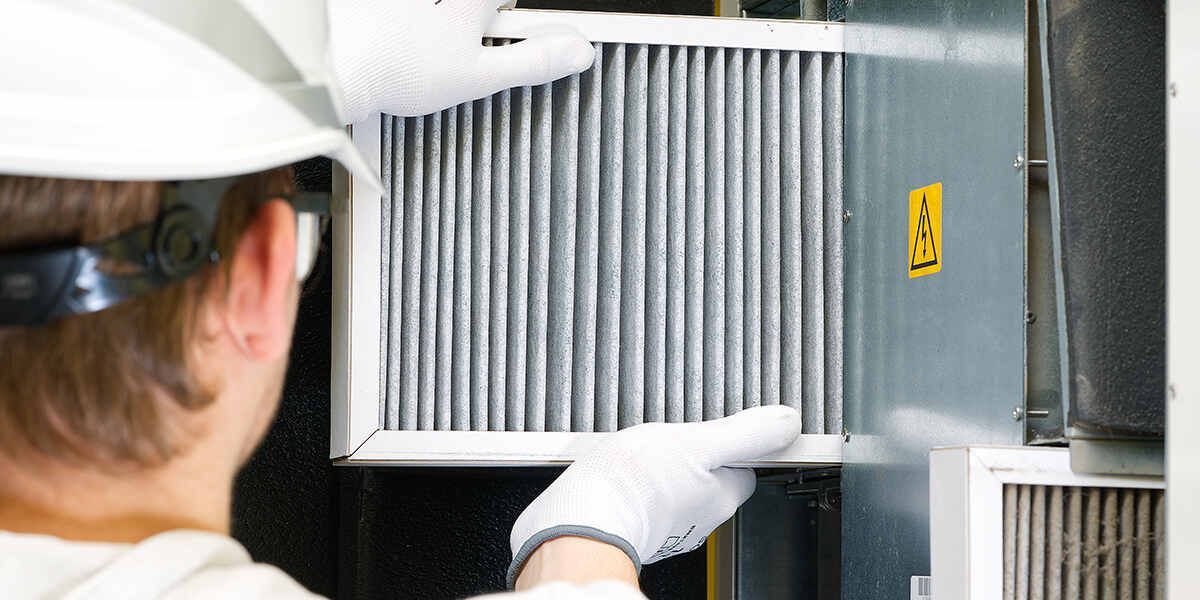
Regularly inspecting air filters is crucial for maintaining your AC system’s efficiency and indoor air quality. Over time, air filters can become clogged with dust, dirt, and other airborne particles, restricting airflow and forcing your AC system to work harder than necessary. This can lead to higher energy bills and potentially shorten the lifespan of your unit. By monitoring your filter’s condition, you can guarantee top performance and extend the filter's lifespan.


The replacement frequency of your air filters depends on several factors, including the type of filter you use, the overall air quality in your home, and how often you run your AC system. In most cases, checking your filters every 30 days and replacing them every 60 to 90 days is recommended. Nevertheless, if you have pets, allergies, or live in an area with high pollution, you might need to replace them more frequently.


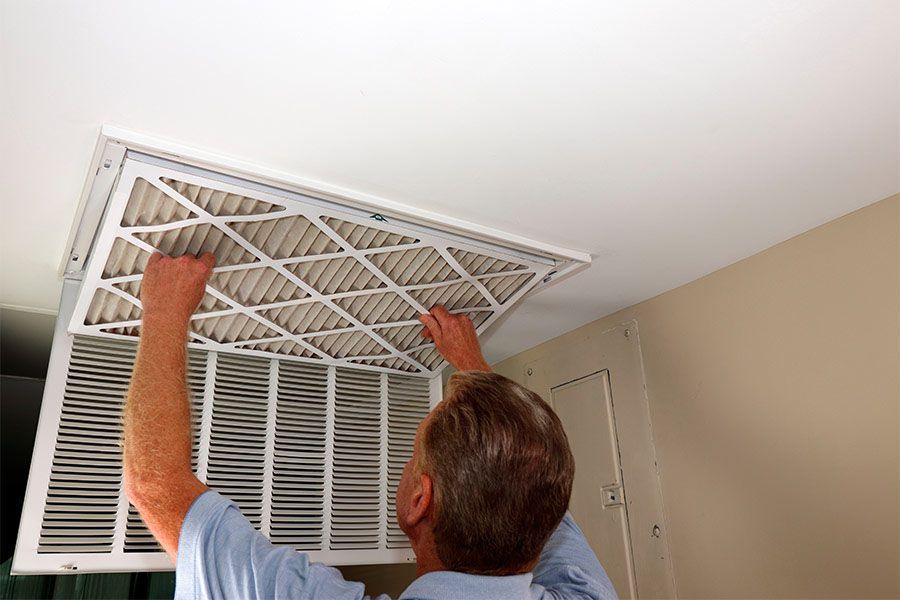
To inspect your air filters, locate the filter compartment near the return air duct and remove the filter. Hold it up to the light; it's time for a replacement if you can’t see through it. Staying proactive about filter maintenance will help keep your AC running smoothly.


Clean the Coils
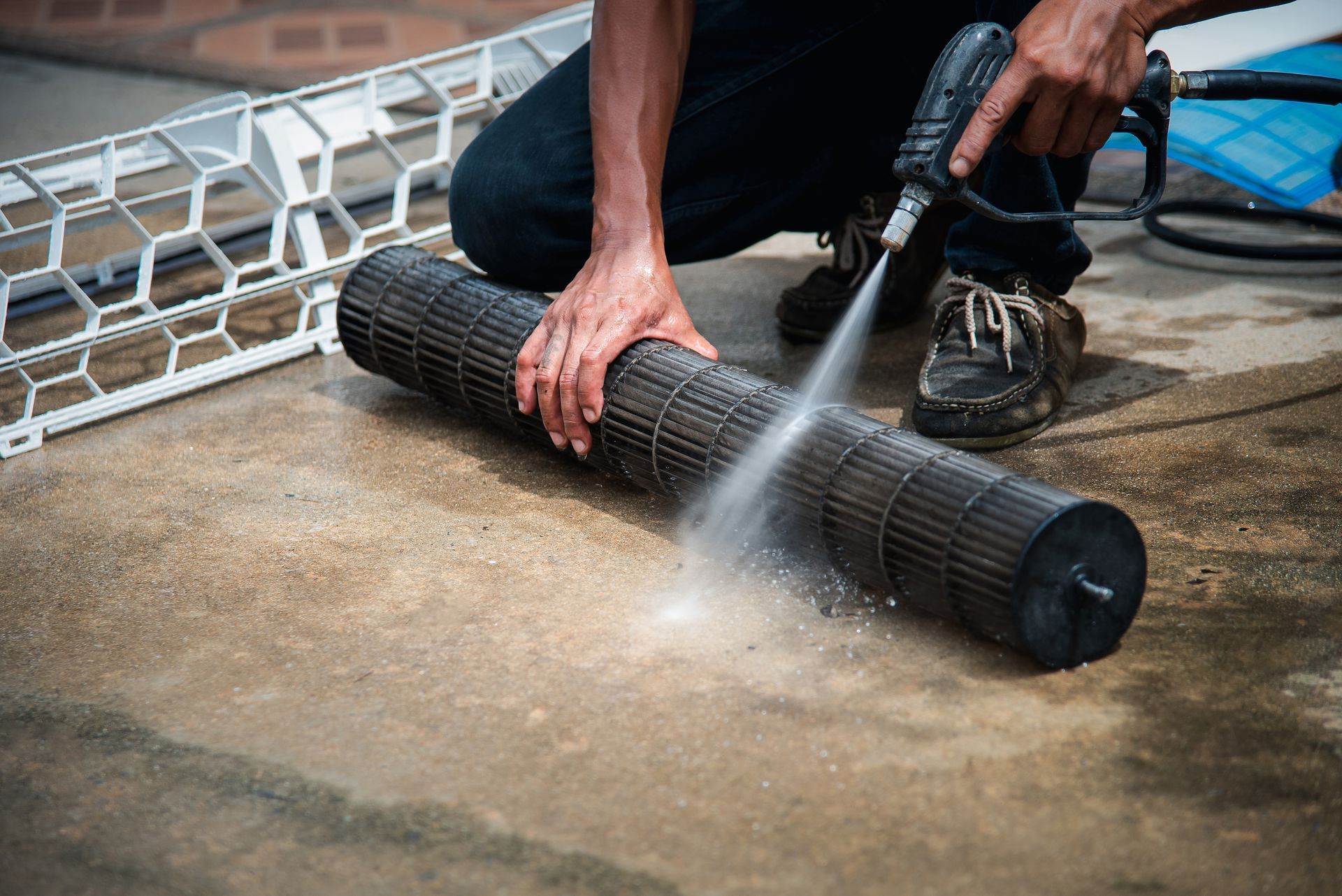
Coil Cleaning

Cleaning the coils is essential for maintaining your air conditioner’s efficiency and ensuring it runs smoothly. Your air conditioner has two main coils: the evaporator coil and the condenser coil. Over time, these coils can accumulate dirt and debris, obstructing airflow and reducing the system’s ability to cool your home effectively.


Start with the evaporator coil, typically inside the air handler or attached to the furnace. For proper evaporator maintenance, turn off the power to your AC unit, remove the access panel, and gently brush away any dust or debris using a soft brush or a specialized coil cleaning tool. If the coil is particularly dirty, you may need to use a no-rinse coil cleaner spray, following the manufacturer’s instructions carefully.


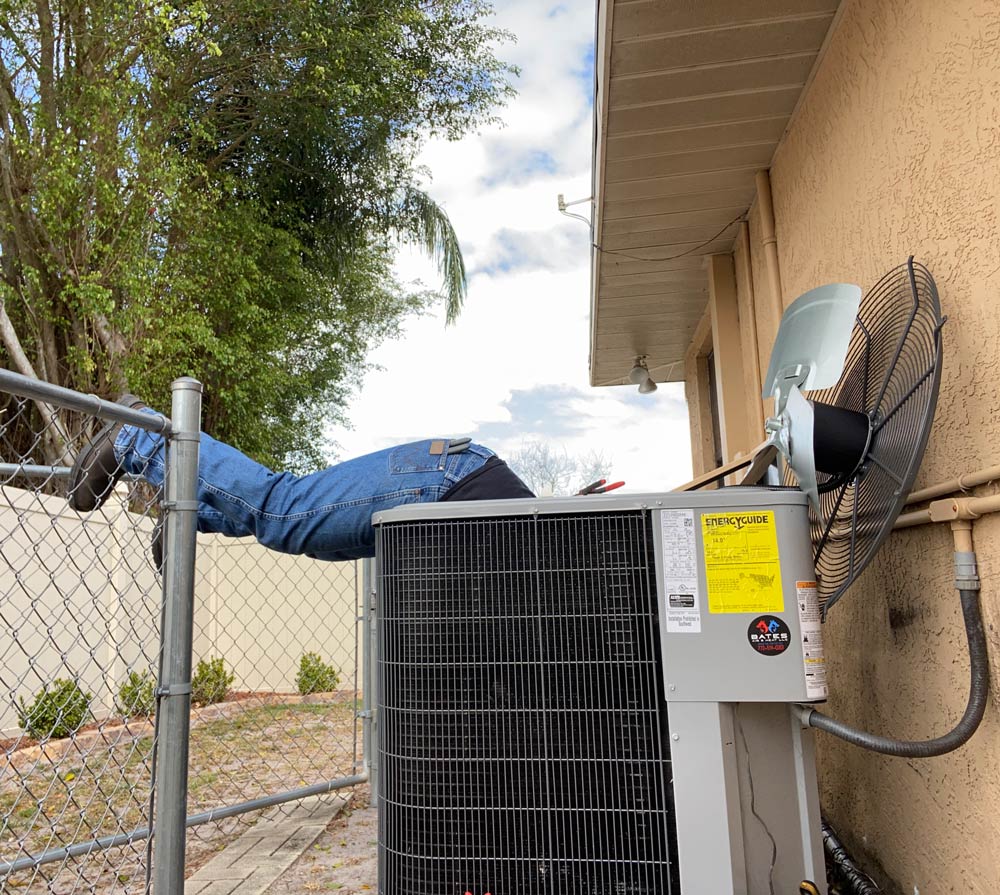
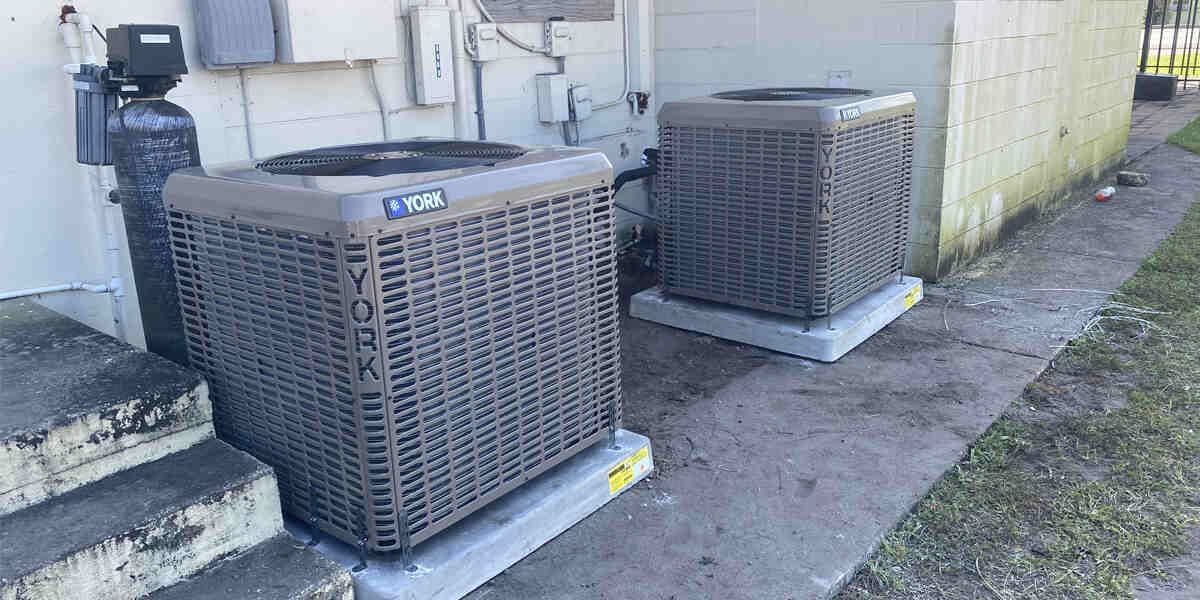
Next, move on to the condenser coil in the outdoor unit. Clear away leaves, grass, or other debris around the unit to ensure proper airflow. Use a garden hose to gently rinse the coil, avoiding high-pressure settings that could damage the fins. Regular coil cleaning can prevent common issues such as reduced cooling capacity, increased energy consumption, and potential system breakdowns, keeping your AC in top condition.


Examine Ductwork

After cleaning the coils, it’s important to examine the ductwork for leaks or blockages that could hinder your AC’s efficiency. Start by visually inspecting the ducts for any signs of wear or damage. Leaks in the ductwork can cause significant energy loss, making your system work harder than necessary.


To detect leaks, turn on your system and feel along the ducts for any escaping air. Duct sealing is vital to maintaining peak performance if you find any leaks. You can use mastic sealant or metal tape to seal these gaps effectively. It’s crucial to avoid using regular duct tape, as it doesn’t provide a long-lasting seal.


Next, examine the duct insulation. Proper duct insulation ensures the cooled air remains at the desired temperature as it travels through your home. Inadequate insulation can lead to energy inefficiency and increased utility bills. If you notice any sections where the insulation is damaged or missing, replace it promptly with suitable duct insulation materials.


Additionally, check for any blockages within the ducts. Debris and dust accumulation can obstruct airflow, reducing the system’s efficiency. Use a vacuum or professional cleaning tools to clear any obstructions, ensuring smooth air passage.


Clear the Drain Line

Clearing the drain line regularly is important to prevent water damage and maintain your AC’s efficiency. The drain line, responsible for removing condensation from your air conditioning system, can easily become clogged with debris, algae, or mold. When a drain blockage occurs, the water that’s supposed to be expelled can back up and cause substantial water damage to your home, potentially leading to costly repairs.


Start by locating the drain line, usually found near your AC unit. Turn off the power to the air conditioner to guarantee safety. Use a wet/dry vacuum to suction out any blockages from the end of the drain line. Afterward, flush the line with bleach and water to kill any remaining algae or mold spores. This step is vital in preventing future clogs and ensuring that water can flow freely.


Regular maintenance of your drain line protects your home from water damage and enhances the efficiency of your AC system. Keeping the line clear ensures that your air conditioner can operate smoothly, providing consistent cooling without the risk of water-related issues. Remember, a well-maintained drain line contributes significantly to the overall health of your AC unit.


Test the Capacitor
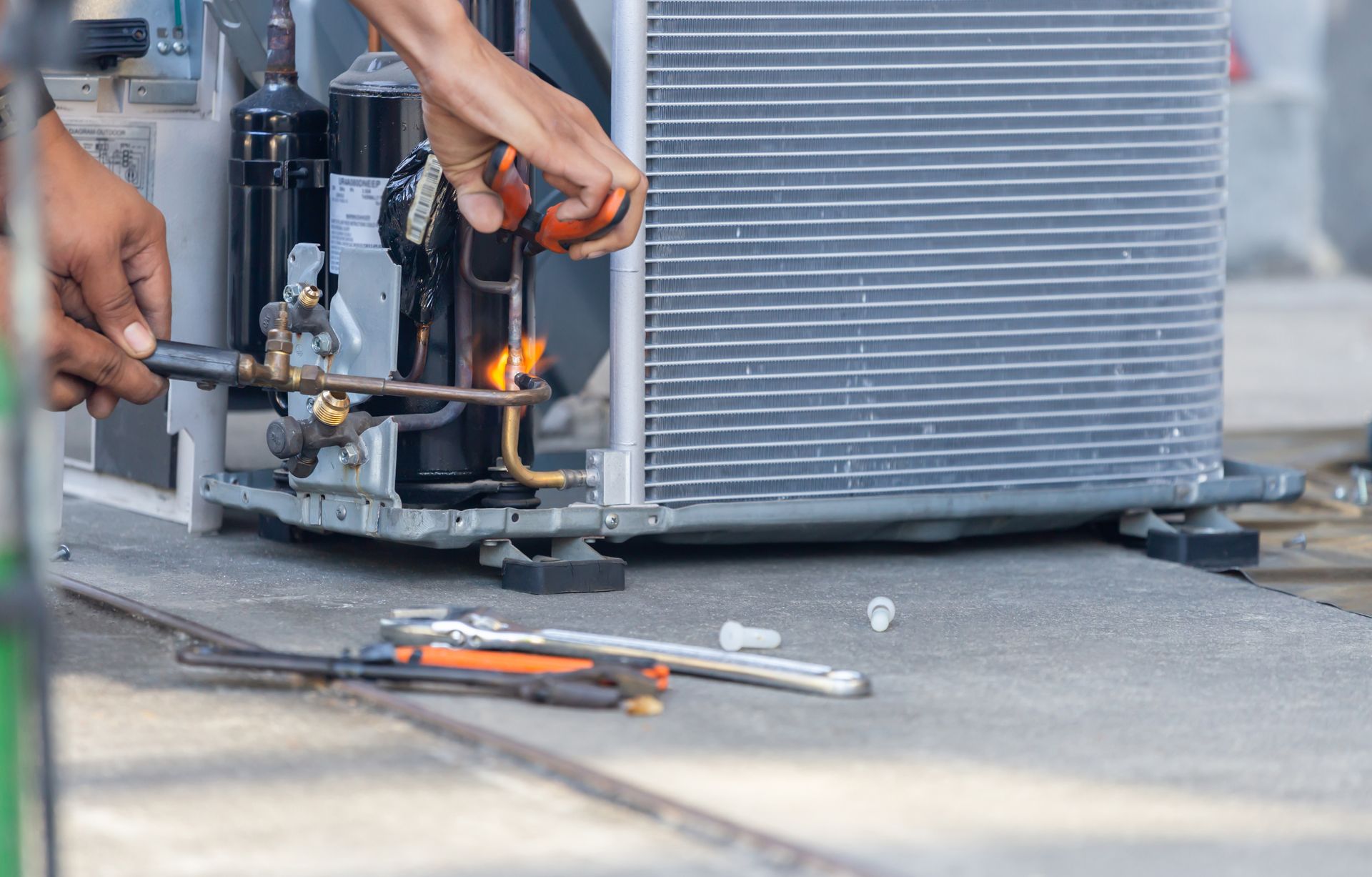
Test The capacitor

Testing your AC’s capacitor guarantees that your system runs efficiently and avoids unexpected breakdowns. Before you begin, it’s important to take safety precautions. First, turn off the power to your air conditioning unit at the breaker to prevent electrical shock. Use a multimeter to test the capacitor after it’s been discharged. Capacitors store electrical energy even when the power is off, so use an insulated screwdriver to discharge any remaining energy by bridging the terminals.


Different capacitor types require specific testing methods. Start by identifying whether your unit has a single or dual-run capacitor. Single-run capacitors control the fan motor or the compressor, while dual-run capacitors manage both. Set your multimeter to the capacitance setting for single-run capacitors and connect the leads to the capacitor terminals. Compare the reading to the manufacturer’s specifications. If it falls outside the acceptable range, replace the capacitor.


You’ll need to test both the fan and compressor terminals separately for dual-run capacitors. Then, follow the same procedure as for single-run capacitors, ensuring your readings match the specified values. These steps ensure your AC unit operates smoothly and efficiently.


Lubricate Moving Parts

Once you’ve verified that your AC’s capacitor is functioning correctly, it’s time to lubricate the moving parts to maintain smooth operation. Lubrication is vital for bearing maintenance, ensuring that the components of your AC system move effortlessly. This step helps reduce friction, which can lead to wear and tear over time.


Start by locating the motor and fan bearings, the primary areas needing lubrication. Apply a few drops of a high-quality lubricant specifically designed for HVAC systems to the bearings. Be careful not to over-lubricate, as excessive oil can attract dust and debris, leading to further complications.


The lubrication benefits are manifold, including extending the lifespan of your AC unit and improving its efficiency. Properly lubricated moving parts will operate more quietly and with less effort, reducing the strain on the motor and other components. This not only saves energy but also minimizes the risk of unexpected breakdowns.


Tighten Electrical Connections

Before you finish your AC maintenance, tighten all electrical connections to guarantee safe and efficient operation. Electrical connections can become loose over time due to vibrations and regular wear and tear. Loose connections can lead to inefficient functioning, excessive power consumption, or even hazardous conditions like electrical fires.


Begin by turning off the power to the unit and following all safety precautions to avoid any risk of electric shock. Use familiar tools such as screwdrivers, pliers, and a multimeter to check and secure these connections. Focus on the control panel, capacitors, and any visible wiring.


Inspect each connection point for signs of wear, corrosion, or damage. Tighten any loose screws or terminal connections you encounter. If you find any damaged wires or components, replace them immediately to maintain the system’s integrity. A multimeter can help you verify the continuity and voltage across various points, ensuring everything functions as it should.


Check Refrigerant Levels

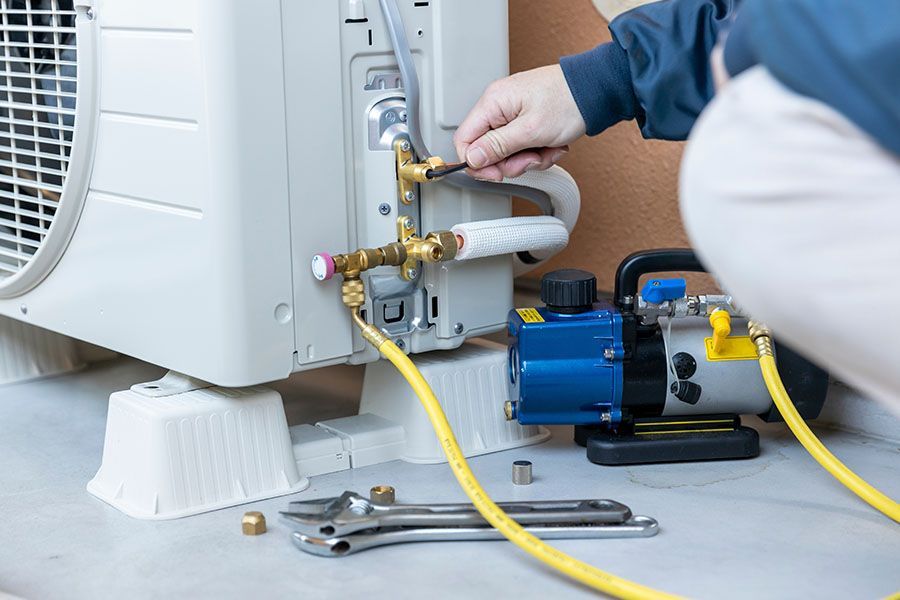
After ensuring all electrical connections are secure, the next step is to check the refrigerant levels to maintain peak cooling performance. The refrigerant is the lifeblood of your AC system, and without the proper refrigerant, your unit can’t cool effectively. Begin by using a manifold gauge set to measure the pressure of the refrigerant in your system. Compare the readings to the manufacturer’s specifications to determine whether the levels are acceptable.


If the refrigerant levels are low, inspecting the system for leaks is essential. Refrigerant leak repair is crucial to address any leaks, as they not only reduce cooling efficiency but can also damage your compressor. Use a leak detector or soapy water to identify leaks in the lines or coils. If a leak is found, repair or replace the damaged components before recharging the system with the proper refrigerant.


Charging the system with the correct amount and type of refrigerant specified by the manufacturer is essential. Overcharging or undercharging can lead to suboptimal performance and increased system wear. Ensuring the proper refrigerant levels will help maintain efficiency, prolong the lifespan of your AC unit, and provide consistent cooling.

Assess the Fan Motor
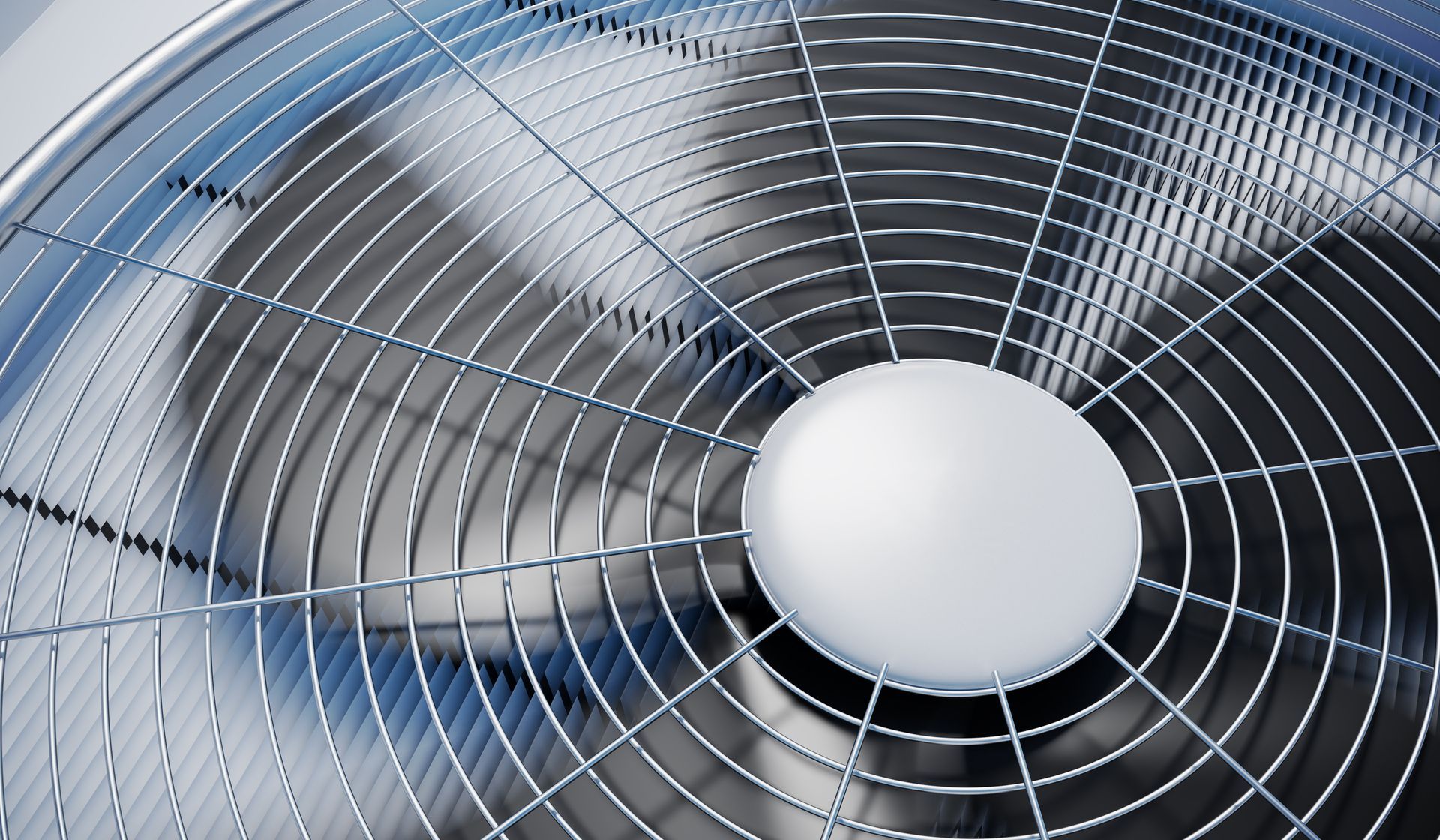
Assess The Fan Motor

Why is it important to assess the fan motor when troubleshooting your AC system? The fan motor plays a significant role in maintaining airflow and ensuring your system operates efficiently. Ignoring it can lead to serious issues, including motor overheating and system failure.


Start by checking the fan alignment. Misaligned fans can cause vibrations and noise, indicating that the motor works harder than it should, leading to overheating. To assess the alignment, turn off the power to your AC unit and manually rotate the fan blades. They should move smoothly without wobbling or resistance. Adjust the fan blades or consult a professional if you notice any irregularities.


Next, inspect the motor for signs of overheating. An overheated motor can emit a burning smell or have discolored wiring. Remove any debris around the motor since restricted airflow can worsen overheating. Additionally, ensure that the motor’s bearings are well-lubricated, as friction can also contribute to excess heat.


The Bottom Line

Following these crucial tips guarantees that your AC system operates efficiently and lasts longer. Proper thermostat calibration contrasts with overlooked air filter maintenance, just as clean coils differ from clogged ductwork. Regularly clearing drain lines helps prevent water damage while lubricating bearings and tightening electrical connections safeguard against mechanical failures. Checking refrigerant levels and evaluating the fan motor ensure safe operation. Adhere to these guidelines diligently to keep your AC unit running smoothly and effectively.


Frequently Asked Questions
  • How Often Should I Schedule Professional Maintenance for My AC Unit?

    You should schedule professional maintenance for your AC unit at least once a year. Regular filter replacement and consistent maintenance frequency guarantee your system runs efficiently, preventing costly repairs and extending lifespan.

  • What Are the Signs That My AC Unit Needs to Be Replaced?

    When your AC’s cooling is as unpredictable as the weather, and you’re facing increasing repairs, it’s probably time to replace it. Don’t wait until it’s entirely out of commission; take action now.

  • Can I Use My AC During a Power Outage With a Generator?

    Yes, you can use your AC with a generator during a power outage. Make sure your generator capacity matches your AC’s power requirements. Correctly connect your unit to the backup power source for safe operation.

  • How Can I Improve the Energy Efficiency of My AC System?

    Want to save on energy bills? Adjust your thermostat settings slightly higher in summer and lower in winter. Don’t forget to replace your filters regularly; they’re essential for efficiency and can make a big difference.

  • What Should I Do if My AC Unit Is Making Unusual Noises?

    If your AC unit is making unusual noises, check for fan obstructions and make sure there aren’t any loose components. Turn off the unit, scrutinize it, and tighten any loose parts. If the noise persists, call a professional.

by SEOCH 8 March 2026
Upgrading your attic insulation in Vero Beach, FL, can greatly affect your home's energy efficiency. With the region's unique climate, proper insulation helps regulate indoor temperatures, making your home more comfortable year-round. You might be wondering if your current insulation is up to par or if an upgrade could save you money on energy bills. Understanding the signs that indicate a need for improvement is essential—let's investigate what to look for. Understanding the Importance of Attic Insulation Attic insulation plays a vital role in maintaining your home's energy efficiency. It creates a barrier that helps regulate your home's temperature, keeping it warm in the winter and cool in the summer. When you have proper insulation, you're less likely to experience drafts or uneven temperatures, which can make your home uncomfortable. Furthermore, effective insulation reduces the workload on your HVAC system, allowing it to operate more efficiently. This means your system won't have to run as hard to maintain your desired temperature, potentially saving you money on energy bills. Ignoring attic insulation can lead to heat loss, which not only impacts your comfort but also increases your energy consumption. Additionally, proper insulation levels can optimize indoor comfort and help prevent costly air leaks. How Attic Insulation Affects Energy Consumption When your home has insufficient insulation, you can expect higher energy consumption as your HVAC system struggles to maintain a comfortable temperature. Poor insulation allows hot or cold air to escape, forcing your system to work harder and longer. This not only increases your energy bills but also puts unnecessary strain on your HVAC equipment, potentially leading to costly repairs or replacements. Furthermore, investing in ductless mini-split air conditioners can enhance your home's energy efficiency by providing targeted heating and cooling solutions. Signs That Your Attic Insulation Needs an Upgrade Insufficient insulation can lead to noticeable signs that it's time for an upgrade. If you notice significant temperature fluctuations in your home, especially during extreme weather, your attic insulation mightn't be doing its job. You may likewise see icicles forming on your roof during winter; this indicates heat escaping through the roof, signaling inadequate insulation. Another telltale sign is a rise in your energy bills. If your heating or cooling costs seem higher than normal, it's a strong indicator that your insulation isn't performing effectively. Furthermore, if you see mold growth or experience drafts in your home, these issues can stem from insufficient insulation. Finally, if your attic insulation is more than 10 years old, it's worth considering an upgrade to guarantee your home remains energy-efficient and comfortable. Investing in comprehensive air duct cleaning can further enhance your home's energy efficiency. Keeping an eye out for these signs can help you maintain a cozy living environment. Benefits of Upgrading Your Attic Insulation Upgrading your attic insulation can greatly improve your home's energy efficiency and comfort. By enhancing insulation, you'll reduce heat loss in the winter and keep your home cooler in the summer, leading to lower energy bills. You'll notice a more consistent temperature throughout your home, creating a cozy environment for you and your family. Improved insulation likewise helps in reducing noise pollution, giving you a quieter living space. Plus, it can extend the lifespan of your HVAC system, as it won't have to work as hard to maintain your desired temperature. This means fewer repairs and a longer-lasting system. Investing in attic insulation can even increase your home's value, making it more appealing to potential buyers. Overall, the benefits of upgrading your attic insulation go beyond comfort; they lead to significant savings and a more sustainable home in Vero Beach, FL. Additionally, enhanced insulation can complement your dehumidifier installation, as it helps maintain optimal humidity levels while improving energy efficiency. Choosing the Right Insulation Material for Your Home Selecting the right insulation material for your attic is crucial to maximizing energy efficiency and comfort in your home. You'll find several options, each with unique benefits. Fiberglass batts are popular for their affordability and ease of installation, but they may not provide the best air sealing. Spray foam insulation, while pricier, offers superior air sealing and energy efficiency, making it a great long-term investment. Cellulose, made from recycled paper, is an eco-friendly option that likewise provides good thermal performance. If you're concerned about fire safety, consider mineral wool, which is fire-resistant and provides excellent soundproofing. Evaluate your budget, climate, and energy goals before making a decision. Consulting with a professional, like Bates Air & Heat, can help you choose the best insulation for your specific needs, ensuring a comfortable and energy-efficient home environment.
by SEOCH 8 March 2026
Maintaining your furnace is essential, especially in the humid climate of Vero Beach, FL. Proper care not only improves efficiency but likewise guarantees safety throughout the heating season. Have you ever considered how a few simple steps could prolong your furnace's lifespan and reduce energy costs? Let's investigate practical tips that can help you achieve peak performance and peace of mind for your home. Understand Your Furnace System Understanding your furnace system is essential for maintaining a comfortable home during chilly months. You need to know the basic components, like the thermostat, burners, and blower, to guarantee everything runs smoothly. Familiarize yourself with how your system operates and the types of fuel it uses, whether it's gas, oil, or electricity. This knowledge helps you identify potential issues before they escalate. Regularly check your furnace's performance, listening for unusual noises or noticing inconsistent heating. If something seems off, trust your instincts and reach out for professional help. Bates Air & Heat LLC provides prompt and professional furnace repairs to ensure your system works efficiently, keeping your home cozy and safe. Plus, understanding your furnace can save you money on repairs and energy bills in the long run. Take the time to educate yourself, and you'll enjoy the benefits of a well-maintained furnace system. Regularly Change or Clean Air Filters Regularly changing or cleaning your air filters is one of the simplest yet most effective ways to maintain your furnace's efficiency. When filters get clogged with dust, dirt, and allergens, your furnace has to work harder to circulate air. This not only strains the system but can also lead to higher energy bills. It's recommended to check your filters monthly, especially during the heating season, and replace or clean them as needed. If you have pets or allergies, you might need to change them even more frequently. Using high-efficiency filters can as well help trap smaller particles, improving your home's air quality. Don't forget to turn off your furnace before cleaning or replacing filters to guarantee safety. By keeping up with this simple maintenance task, you'll enjoy a more efficient furnace and a comfortable living environment. Additionally, scheduling regular maintenance checks with a professional can further enhance your furnace's performance and longevity. Schedule Annual Professional Inspections While it's easy to overlook, scheduling annual professional inspections for your furnace is crucial to its longevity and efficiency. These inspections help identify potential issues before they become major problems, saving you time and money in the long run. A qualified technician can verify that all components are functioning at their best, addressing any wear and tear that might go unnoticed. During these inspections, the technician will clean and calibrate your system, improving its performance and energy efficiency. They'll likewise check safety features, guaranteeing your heating system operates safely. By investing in this annual service, you're not just protecting your furnace; you're additionally enhancing your home's comfort and reducing energy costs. Regular maintenance prevents dirt and debris accumulation , which is essential for optimal performance. At Bates Air & Heat, we offer thorough inspections tailored to your furnace's needs. Don't wait until a breakdown occurs—schedule your annual inspection today and enjoy peace of mind knowing your heating system is in expert hands. Keep the Area Around Your Furnace Clear To guarantee your furnace operates efficiently and safely, keep the area around it clear of clutter and debris. This simple step can prevent potential hazards and improve airflow, ensuring your system runs smoothly. Remove any boxes, furniture, or other items that might obstruct the furnace or its vents. Not only does this promote better efficiency, but it likewise minimizes fire risks. Check for dust and lint buildup around the unit, too; these can be fire hazards if left unaddressed. You should likewise allow at least a couple of feet of space around your furnace for maintenance access. This makes it easier for HVAC professionals to perform their work during inspections and repairs. Regularly inspecting and tidying up the area surrounding your furnace will lead to a safer home environment and prolong the life of your heating system. Additionally, maintaining comprehensive air duct cleaning can further enhance the overall efficiency of your heating system. Invest a few minutes now to protect your comfort for the long run. Check and Seal Ductwork for Efficiency Confirming your ductwork is properly checked and sealed can greatly boost your heating system's efficiency. Leaky ducts can let warm air escape, causing your furnace to work harder and driving up your energy bills. Start by inspecting your ductwork for visible gaps, holes, or disconnected sections. You can use mastic sealant or metal tape to seal any leaks you find. Furthermore, consider having a professional conduct a thorough inspection. They can use specialized tools to detect hidden leaks and guarantee your system operates at peak efficiency. Regularly cleaning your ducts is likewise vital; dust and debris can build up, restricting airflow and making your furnace work overtime. By addressing these issues, you'll not only improve your heating system's performance but also create a more comfortable living environment. Trust Bates Air & Heat LLC for expert assistance in checking and sealing your ductwork efficiently. Monitor Thermostat Settings and Functionality Keeping an eye on your thermostat settings and functionality is essential for maintaining an efficient heating system. Regularly check that your thermostat is set to the desired temperature and that it responds correctly when you adjust it. If your system isn't heating as expected, it could indicate an issue with the thermostat itself. Consider upgrading to a programmable or smart thermostat to optimize energy use. These devices can automatically adjust temperatures based on your schedule, helping you save on energy bills. Also, replace the thermostat batteries if they're battery-operated, as low power can affect performance. Lastly, make sure the thermostat is located away from direct sunlight, drafts, or heat sources, which can lead to inaccurate readings. Test Carbon Monoxide Detectors Testing your carbon monoxide detectors is essential for ensuring your safety and comfort at home. You should check them regularly, ideally once a month, to catch any potential issues early. Look out for signs of malfunction, like unusual beeping or failure to power on, as these can indicate it's time for a replacement. Importance of Carbon Monoxide Detection Although many homeowners understand the importance of having a furnace in good working order, they often overlook the critical role of carbon monoxide detectors in maintaining a safe environment. Carbon monoxide is a colorless, odorless gas, making it nearly impossible to detect without a proper detector. This gas can build up in your home, especially if your furnace malfunctions, leading to serious health risks. By installing and regularly checking carbon monoxide detectors, you guarantee that any leak is detected early, protecting your family from potential harm. Don't wait for symptoms to appear; being proactive saves lives. Make certain your detectors are functioning properly, as they're your first line of defense against this silent threat in your home. Testing Frequency Recommendations While guaranteeing your furnace operates efficiently is crucial, regularly testing your carbon monoxide detectors is likewise important for your family's safety. You should test these detectors at least once a month to confirm they're functioning properly. If you haven't already, consider replacing batteries twice a year, ideally when you change your clocks for daylight saving time. It's additionally wise to replace your carbon monoxide detectors every 5 to 7 years, as older models can lose effectiveness over time. By keeping a close eye on these devices, you can maintain a safe living environment. Don't hesitate to consult with professionals if you have any questions or concerns regarding the placement and functionality of your detectors. Stay proactive for your peace of mind! Signs of Malfunctioning Detectors How can you tell if your carbon monoxide detectors are malfunctioning? First, check the indicator light; if it's off or flashing unexpectedly, it might be time for a replacement. Listen for chirping sounds, which often signal low batteries or a need for servicing. If your detector doesn't respond when you press the test button, that's another red flag. Make certain to regularly inspect the expiration date; most detectors last about five to seven years. If you notice any signs of corrosion or damage, replace the unit immediately. Keeping your home safe from carbon monoxide requires vigilance, so don't ignore these symptoms. Regular checks can save lives and guarantee your detectors function properly year-round. Ensure Proper Ventilation and Exhaust Proper ventilation and exhaust are vital for your furnace's efficiency and safety. When your furnace operates, it produces combustion gases that must be safely vented outside. Guaranteeing proper ventilation helps maintain air quality and prevents dangerous gas buildup. Here are four key steps to guarantee your furnace has the ventilation it needs: Inspect Vent Pipes : Regularly check for blockages or damage in the vent pipes. Clear any debris to allow proper airflow. Check Air Intake : Confirm the air intake vents are unobstructed. This helps your furnace draw in sufficient air for combustion. Look for Signs of Exhaust Issues : Be vigilant for any unusual odors or smoke around the furnace, as these may indicate exhaust problems. Schedule Routine Maintenance : Have a professional inspect your system annually to confirm everything's functioning correctly and safely. Maintain a Consistent Heating Schedule To keep your home comfortable and your furnace running efficiently, it's essential to maintain a consistent heating schedule. By setting a regular routine for when your furnace operates, you can minimize wear and tear, ensuring it runs smoothly for years to come. Try to adjust your thermostat to similar temperatures at the same times each day. This predictability helps your furnace operate efficiently and can save you money on energy bills. If you're away during the day, consider lowering the temperature slightly, but avoid drastic changes. Regularly reviewing your heating schedule can likewise help you identify any unusual patterns in your furnace's performance. If you notice fluctuations in temperature or efficiency, it might be time to consult a professional. With a consistent heating schedule, you'll enjoy a cozy home while extending the life of your furnace. Know When to Upgrade Your Furnace As your furnace ages, it's crucial to recognize the signs that indicate it might be time for an upgrade. Ignoring these signals can lead to inefficiencies, higher energy bills, and unexpected breakdowns. Here are four key indicators to watch for: Age : If your furnace is over 15 years old, it may be time to evaluate a replacement, as newer models are more efficient. Increased Repairs : Frequent breakdowns or costly repairs can signal that your furnace is nearing the end of its lifespan. Uneven Heating : If certain rooms are consistently colder or hotter, your furnace mightn't be able to distribute heat effectively anymore. Rising Energy Bills : A noticeable spike in your heating costs could indicate that your furnace is working harder than it should. If you recognize any of these signs, it's wise to consult with a professional to investigate your options.
by SEOCH 8 March 2026
In Vero Beach, FL, the comfort of your home can feel worlds apart from the discomfort caused by poor air quality. Regularly replacing your AC filter can transform your living environment considerably. Not only does it improve your indoor air quality, but it also offers several other key benefits that you might not have considered. Uncover how this simple task can lead to a healthier, more efficient home. Improved Indoor Air Quality One of the most significant advantages of regularly replacing your AC filter is the improvement in indoor air quality. When you keep your filter clean, you reduce the amount of dust, pollen, and allergens circulating in your home. This can make a noticeable difference, especially if you or your family members suffer from allergies or asthma. A fresh filter traps particles more effectively, allowing your HVAC system to circulate cleaner air. You'll breathe easier and feel more comfortable in your living space. Plus, with less dust settling on your surfaces, you'll spend less time cleaning. It's easy to forget about the filter, but setting a reminder can help you stay on track. By prioritizing indoor air quality, you're not just enhancing comfort; you're also promoting a healthier environment for everyone in your home. Regular filter changes also support superior service that prevents strain on your HVAC system, ultimately extending its lifespan. Enhanced Energy Efficiency When you replace your AC filter regularly, you not only improve indoor air quality but also boost energy efficiency. A clean filter allows your system to breathe better, reducing the strain on your air conditioner. This means your unit doesn't have to work as hard to cool your home, which translates to lower energy bills. You'll notice that your system cycles on and off less frequently, maintaining a more consistent temperature. By keeping your filter clean, you maximize airflow, which helps your system operate at peak performance. In Vero Beach's hot climate, this efficiency is essential. You want your home to be cool without overspending on energy costs. Additionally, regular filter replacements can lead to better control over home heating and air conditioning , ensuring your system runs smoothly and efficiently. Extended Lifespan of Your HVAC System Keeping your AC filter clean not only improves energy efficiency but also greatly extends the lifespan of your HVAC system. A clean filter allows your system to operate smoothly, reducing wear and tear. When your HVAC system doesn't have to work as hard, it can last longer, saving you money in the long run. Regular maintenance, including comprehensive air duct cleaning , enhances overall system performance and longevity. Here are some key benefits of maintaining your AC filter: Improved airflow keeps your system running smoothly. Reduced strain on components lowers the risk of breakdowns. Consistent temperatures improve comfort throughout your home. Less energy consumption means lower utility bills. Fewer contaminants lead to better indoor air quality. Reduced Repair Costs By regularly replacing your AC filter, you can considerably reduce repair costs over time. A clean filter allows your system to operate more efficiently, preventing unnecessary strain on the components. When your AC has to work harder because of a clogged filter, it can lead to breakdowns and costly repairs. Additionally, regular filter changes help maintain proper airflow, which is essential for your system's performance. When airflow is restricted, other parts, like the compressor and fan motors, can overheat and fail. Regular maintenance, including comprehensive air duct cleaning , can further enhance your system's efficiency and longevity. Increased Comfort Levels in Your Home A clean AC filter plays a crucial role in improving your home's comfort levels. When you replace your filter regularly, you guarantee that your air conditioning system operates efficiently, maintaining a consistent and pleasant indoor temperature. This not only keeps you comfortable but likewise improves the overall air quality in your home. Here are some key benefits of a clean filter: Reduces allergens, providing cleaner air for you and your family. Maintains steady airflow, preventing hot or cold spots in your home. Boosts the efficiency of your AC system, leading to better cooling performance. Minimizes the risk of system breakdowns, assuring uninterrupted comfort. Keeps your energy bills lower by allowing your system to work efficiently.
by SEOCH 8 March 2026
Did you know that about 75% of AC issues can be traced back to neglecting maintenance? When your air conditioning system fails, knowing how to respond can save you time and money. From spotting early warning signs to finding a trustworthy HVAC professional, handling these emergencies like a pro is vital. Let's examine the fundamental steps you need to take when faced with an AC crisis in Fort Pierce, FL. Recognizing the Signs of an AC Emergency How can you tell if your AC system is in trouble? First, pay attention to any unusual noises, like grinding or hissing sounds. These can signal a serious issue that needs immediate attention. Next, notice if your home isn't cooling down in spite of the unit running. This could mean your system is struggling to function properly. You should likewise watch for any leaks or moisture around the unit, which might indicate refrigerant issues or drain problems. Finally, if your energy bills spike unexpectedly, it could mean your AC is working harder than it should, often because of inefficiency. Recognizing these signs early can help prevent a complete breakdown. If you notice any of these indicators, it's wise to contact a professional like Bates Air & Heat. They'll provide honest solutions and guarantee your comfort is restored quickly and efficiently. Additionally, their fast and reliable AC repair services ensure that you can get back to enjoying a comfortable home environment without unnecessary delays. Immediate Steps to Take When Your AC Fails When your AC fails, it's critical to act quickly to minimize discomfort and potential damage. Start by checking the thermostat settings to confirm it's set correctly. If the temperature is right, inspect the circuit breaker to see if a fuse has blown. Sometimes, simply resetting the breaker can solve the issue. Next, look for any visible blockages in the air vents or filters. Clogged filters can drastically affect performance. If your system still isn't working, take these immediate steps: Turn off the AC to prevent further damage. Document any unusual noises or smells. Check for ice buildup on the unit. Verify that the outdoor unit is clear of debris. Prepare to call a professional for help. Remember, Bates Air and Heat's emergency service hours are available for unexpected HVAC repairs. Taking these steps can help you stay calm and organized while waiting for a technician to restore your comfort. Finding a Reliable HVAC Professional in Fort Pierce, FL After taking the immediate steps to address your AC failure, the next challenge is finding a reliable HVAC professional in Fort Pierce, FL. Start by asking friends, family, or neighbors for recommendations. Personal experiences can guide you toward trustworthy companies. Online reviews likewise provide valuable insights; look for consistent high ratings, particularly in emergency services. Once you've gathered a few names, check their credentials. Confirm they're licensed, insured, and experienced in emergency repairs. Don't hesitate to contact them for quotes and ask about their approach to customer care. A reliable HVAC professional, like Bates Air & Heat LLC, will offer honest solutions and clear communication. They specialize in emergency AC repair services to ensure your comfort is restored quickly. Finally, trust your instincts. If a company doesn't seem to prioritize your comfort or provide transparent information, keep looking. Choosing the right HVAC professional can make all the difference in restoring your home's comfort swiftly and efficiently. Preparing for Your Emergency Service Appointment What steps should you take to prepare for your emergency service appointment? First, gather any relevant information about your AC unit, such as the model number and previous repair history. This will help the technician diagnose the issue more efficiently. Next, clear the area around your AC unit to provide easy access for the technician. You'll furthermore want to jot down any symptoms you've noticed, as specifics can aid in troubleshooting. Consider the following items to guarantee a smooth service appointment: A list of recent issues with your AC Your contact information and availability Any warranties or service agreements A safe space for the technician to park Questions you may have about the repair process Being prepared not only speeds up the repair but also helps you understand the work being done. Additionally, having a reliable service like emergency AC repair services can ensure that your issues are addressed promptly and efficiently. Preventing Future AC Emergencies With Maintenance To prevent future AC emergencies, regular maintenance is essential for keeping your system running smoothly. Schedule routine check-ups with a trusted HVAC professional , like Bates Air & Heat, to guarantee your system operates efficiently. During these visits, technicians can identify potential issues before they escalate, saving you time and money in the long run. Cleaning or replacing filters regularly is another simple task you can do yourself. Clogged filters restrict airflow, causing your AC to work harder and increasing the risk of breakdowns. Don't forget to check your thermostat settings and confirm they're functioning correctly. Furthermore, inspect your outdoor unit for debris and keep it clear for maximum airflow. Investing in a maintenance contract can likewise help you stay ahead of problems, giving you peace of mind.
6 March 2026
Donna in Vero Beach called us last week for a regular AC tune-up. You know, the kind of thing you schedule when you remember your system has been working hard through another brutal Florida summer and fall. Just a routine maintenance visit to make sure everything keeps running smoothly. Our technician, Josh, headed out there expecting the usual check and clean situation. And honestly, most of the visit went exactly like that. Filters looked decent, refrigerant levels were good, everything was humming along. But then he checked the air scrubber. The UV bulb inside was completely shot. How UV Light Systems Work Now, if you have an air scrubber or UV light system installed in your AC, that bulb is actually doing real work for you. It's killing mold spores, bacteria, and other nasty stuff floating around in your air. But here's the thing nobody tells you when they install these systems. Those bulbs don't last forever. They burn out. And when they do, you're basically running an expensive paperweight that's not doing anything except taking up space in your ductwork. Finding the Issue The tricky part is you'd never know it stopped working. Your AC still blows cold air. The house still feels comfortable. Everything seems fine on the surface. But that extra layer of air cleaning you paid for? Gone. And in Vero Beach where humidity breeds mold like crazy, that's not great. This is exactly why those seasonal tune-ups matter more than people think. Josh caught something Donna had no way of noticing on her own. No weird smells, no warm air, nothing obvious. Just a dead bulb quietly doing nothing while her system kept running. We see this all the time with air scrubbers and UV lights. People install them, forget about them, and assume they're working forever. Then two or three years go by and someone finally checks during maintenance and surprise, the bulb died months ago. Replacing the UV Light System Bulb The good news? Replacing the bulb is straightforward. Not some huge expensive repair. Just swap it out and you're back to actually cleaning your indoor air again. If you have an air scrubber or UV light system in your AC, ask whoever does your maintenance when the last time that bulb was replaced. If nobody's checked it in over a year, there's a decent chance it's not doing much for you anymore. And if you're still skipping those yearly tune-ups because your AC seems fine, this is exactly why that's a gamble. The stuff that goes wrong isn't always loud or obvious. Sometimes it's just a burned out bulb nobody noticed, or a small issue that turns into an expensive one if it sits too long. Donna's system is getting its new bulb and will be back to actually scrubbing the air like it's supposed to. And she'll keep breathing cleaner air without even thinking about it. Which is honestly how your AC should work. Quietly doing its job in the background while you go about your life. Just maybe check on those bulbs once in a while.
6 March 2026
Last week our technician, Matt, showed up at Elisa's place in Port St. Lucie expecting a straightforward drain line call. She had these condensation spots showing up on her ceiling right below the air handler and figured the drain line just needed to be repositioned or hung better. Pretty common thing to think when you see water damage near your AC unit. But here's the thing about condensation spots. Sometimes they're actually telling you a different story than you think.  Diagnosing the Issue When Matt got up there to check things out he found something interesting. The drain line wasn't necessarily the villain here. The real issue was that her 3 year old Rheem 5 ton unit needed some attention. And when AC systems don't get regular maintenance they start doing weird things. Like creating extra condensation. Or not draining properly because everything gets gunked up inside. This is exactly why tune ups matter more than people realize. Everyone thinks tune ups are just about keeping your system running. But they're actually about catching the small stuff before it turns into ceiling stains and emergency calls. Fixing the Issue Matt did a full tune up on the system and added some refrigerant that was running low. That refrigerant thing is key. When your system is low on refrigerant it doesn't cool efficiently. When it doesn't cool efficiently it works harder. When it works harder weird things happen with temperature differentials and moisture. And moisture finds its way to your ceiling. Elisa thought she needed ductwork or drain line modifications. Turned out she just needed her system serviced properly. And honestly that's something I see all the time. You assume the solution is complicated and expensive when sometimes your AC just needs a little TLC. What to Do if This Happens to You? If you see condensation spots on your ceiling near your AC unit don't panic. But dont ignore it either. It could be a drain line issue. Or it could be your system telling you it needs maintenance. Either way you want someone to check it out before those spots turn into actual water damage or mold situations. Living in Port St. Lucie means your AC runs basically year round. These units work hard in Florida heat. Skipping annual maintenance is like never changing your oil and wondering why your car sounds funny. Eventually something gives. The takeaway here is simple. If you see water where water shouldn't be around your AC system get it looked at. But also don't assume you know what the fix is before a tech actually checks things out. What looks like a drain line problem might actually be a maintenance issue. Or vice versa. And if your system is 3 years old and you've never had it tuned up you might want to schedule that before summer really kicks in. Because finding out your AC needs attention is way better when it's 78 degrees than when it's 95 and everyone else is calling for emergency service. Matt got Elisa set up on a maintenance plan too so this won't sneak up on her again. Sometimes the best fix is just staying ahead of problems before they start dripping on your stuff.
6 March 2026
Mike's AC was blowing warm air in the middle of a Fort Pierce summer, which is basically the universe telling you that you've done something wrong in a past life. When our technician, Josh, showed up for what Mike thought would be a quick checkup, he found something that happens way more often than it should. The refrigerant was low. Not empty, just low enough to make the system struggle like someone trying to run a marathon in flip flops. How Refrigerant Works Here's the thing about refrigerant that most homeowners don't realize. Your AC system is supposed to be a closed loop. It's not like your car where you just top off the gas tank every week. If you're losing refrigeant, something's leaking. Period. But Mike got lucky this time. During the tune-up, Josh caught it early. Added the R410A refrigerant to get things back to normal levels, and now Mike's system is actually cooling his house instead of just making expensive noise. Why Tune-Ups Actually Matter I know, I know. Nobody wants to spend money on something that seems like it's working fine. But this is exactly why those seasonal checkups exist. Josh wasn't just there to change a filter and call it a day. He was checking refrigerant levels, making sure everything's running the way it should, and catching small problems before they turn into the kind of emergency that happens at 9pm on a Saturday when it's 95 degrees outside. Mike's situation could've gone a totally different direction. Low refrigerant makes your compressor work harder than it should. That compressor is basically the heart of your AC system, and when it burns out from overwork, you're looking at a replacement that costs way more than a simple tune-up and some refrigerant. What You Should Actually Do If you're in Fort Pierce or anywhere on the Treasure Coast, your AC isn't optional equipment. It's survival gear. And right now, before summer really kicks into high gear, is the perfect time to get it checked. Think about it like this. You wouldn't wait until your car is smoking on the side of the road to check the oil, right? Same deal with your AC. A little maintenance now saves you from sweating through your sheets later. And if your system is blowing warm air, don't just turn it off and hope it fixes itself. That's not a thing that happens. Get someone out there to check it before that little problem becomes a big expensive one. The real lesson from Mike's house? Sometimes the best repair is the one you catch before it actually breaks.
6 March 2026
Christopher in Vero Beach called us last week about his garage mini split throwing a LO error code. Right off the bat, he was honest about the situation: he installed the unit himself and wasn't totally sure if he'd done everything correctly. I appreciate when homeowners are straight up about DIY projects. There's no shame in it. YouTube makes everything look doable in 15 minutes, but mini splits are tricky little machines that don't forgive mistakes. Diagnosing the Issue Our technician, John, headed out to check things out. The LO error code usually means low refrigerant pressure, which can point to a few different issues. Sometimes it's a leak. Sometimes the line sets weren't connected properly during installation. Sometimes the unit just needs to be charged up. After running through diagnostics, John found the system needed refrigerant. This is pretty common with DIY mini split installs because getting the refrigerant charge just right requires specific equipment and a bit of experience. You can't eyeball it or guess your way through it. Here's the thing about mini splits that nobody mentions in those installation videos: they arrive pre-charged with refrigerant for a specific line set length. If your lines are longer or shorter than what the manufacturer calculated for, or if there were any issues during the vacuum and charging process, you're going to run into problems. John added R410A refrigerant to get the system back to where it needed to be and did a full tune-up to make sure everything else was running right. The garage went from muggy to comfortable pretty quick after that. Should You DIY a Mini Split Installation? Look, I've seen homeowners successfully install their own mini splits. It's definitely possible. But the refrigerant side of things is where most people hit a wall. You need a vacuum pump, gauges, and you have to understand how to properly evacuate the lines and check for leaks. If you're halfway through a DIY install and something doesn't seem right, calling someone before you fire up the unit is way cheaper than fixing problems after the fact. The refrigerant charge has to be precise. Too little and you get error codes and poor cooling. Too much and you can damage the compressor, which is basically the heart of your system. What That Error Code Actually Means When you see LO on your mini split, it's the system telling you it can't build enough pressure to operate safely. It's actually a protective feature that keeps the compressor from destroying itself. Don't ignore it and keep resetting the unit hoping it'll work. That's like ignoring your check engine light because your car still starts. Eventually, something expensive breaks. The Quick Fix That Wasn't Really Quick Christopher thought he might need a whole new unit or that he'd messed something up beyond repair. Turned out he just needed someone with the right tools and knowledge to finish what he started. His garage is back to being a usable space instead of a sweatbox, and now he knows the system was installed correctly and is running the way it should. If you've got a mini split acting weird in your garage or anywhere else in your Vero Beach home, especially if you tackled the install yourself, it's worth having someone look at it. These units work great when they're set up right, but that LO code isn't going away on its own.
5 February 2026
Carol was packing up her Vero Beach home when she did something most people forget during a move. She called for one last AC tune-up before handing over the keys. Most homeowners obsess over painting walls and deep cleaning carpets before they sell. But Carol? She wanted to make sure the next family wasn't walking into a busted AC system three weeks after closing. That's the kind of neighbor everyone wants. Matt, one of our techs, stopped by to run through the seasonal maintenance checkup. Filters, refrigerant levels, coils, the works. Found the system running a bit low on R410A refrigerant , which is super common in our area with how hard these units work year-round. We topped it off and made sure everything was dialed in. Prevention is Key to Avoid Breakdowns Here's what happens during a move that nobody thinks about until it's too late. You spend weeks organizing movers, transferring utilities, updating addresses. Then you get to the new place and realize you have no idea when that AC was last serviced. Or the water heater. Or anything else that keeps a house running. You're unpacking boxes in July and praying nothing breaks because you don't know any local companies yet. The funny part? Carol was moving to Palm Bay. Not across the country. Not even to another state. Just about 45 minutes north. Matt mentioned setting up the same maintenance plan at her new place in Palm Bay. Smart move, honestly. When you're settling into a new house, the last thing you want is to scramble to find a reliable company after something quits working. Especially with AC in Florida. That's not a maybe-we'll-fix-it-next-week situation. That's a someone-better-get-here-today emergency. How to Prepare for the Move If you're moving, here's what actually matters. Get your current place serviced before you leave, like Carol did. The new owners will appreciate it, and it might even help your inspection go smoother. Then line up maintenance at your new address before you even move in. You want that relationship established before you need it desperately. Most people do it backward. They wait until the AC stops cooling or the water heater starts making horror movie sounds. Then they're googling companies at midnight, reading reviews in a panic, hoping whoever shows up knows what they're doing. A maintenance plan just means someone comes out seasonally to check everything before it fails. Costs way less than emergency repairs. And you're not stuck playing phone tag with five different companies when something breaks on a Saturday. Carol had the right idea. Take care of the house you're leaving. Set yourself up at the house you're going to. The week of a move is stressful enough without adding a broken AC to the mix. If you're relocating anywhere in our area, the same deal applies. Vero Beach, Palm Bay, Sebastian, wherever. Get ahead of it before you're sweating through your move-in day.
5 February 2026
Our tech, John, stopped by Melissa's place in Vero Beach this week, and something pretty cool happened that I wanted to share. She owns a shop at one of the Vero Beach outlets, and apparently she talks to the other shop owners all the time. You know how it goes when small business owners get together. Everyone's comparing notes about everything from foot traffic to, yep, keeping their stores comfortable. Turns out the HVAC struggle is real for a bunch of them. When business owners talk, they're not shy about sharing who's doing good work. Melissa mentioned she chats with the other outlet store owners regularly, and honestly, that's exactly how most good service companies grow around here. Someone has a good experience, they tell their business neighbor, and next thing you know, you're the go-to person for that whole shopping center. Why We Held Off On The Full Service Here's the interesting part. John was there to do a tune-up and check her system, but we actually decided to wait on bringing in the new filters and belt until next week when it's warmer out. Now you might be thinking, what does temperature have to do with changing filters? Fair question. When it's colder outside, especially with commercial AC units, sometimes it makes more sense to wait a few days if you're doing certain maintenance tasks. The system isn't working as hard, and honestly, if the current filter can hang on another week, why not wait until conditions are better for the full service? This is the kind of real-world decision making that matters. Not everything has to happen right this second, and sometimes the best service is knowing when to pause. What Shop Owners Deal With That Homeowners Don't Think About Running a retail space is different from keeping your house cool. When your AC goes out at home, you're uncomfortable. When it goes out in a store during tourist season, you're losing actual money every hour. That's why regular tune-ups matter so much for commercial spaces. You can't afford downtime when people are trying to shop. But here's what's funny, homeowners should actually think the same way. You just don't realize your AC is your comfort investment until it quits on a 95-degree Saturday afternoon and every company in Vero Beach is booked out for three days. The Takeaway Here If you own a business or just want your home system to last, those seasonal tune-ups aren't just some service company trying to get on your calendar. They're how you catch the small stuff before it becomes the expensive stuff. And if you're a business owner talking to other business owners about who does good work, that word-of-mouth thing still matters more than anything else. Melissa's conversations with the other outlet shop owners reminded me that no amount of advertising beats someone saying, “Yeah, they showed up, did the work right, and didn't try to sell me stuff I didn't need.” We'll be back next week with those filters when it warms up a bit. Sometimes the best service is just being honest about timing.